How to Test Text Field Limits Without Coding
Learn how to test text field limits, long inputs, and form validation with repeatable test data—no scripts or manual copy-pasting required.
- Why Text Field Limits Deserve More Attention
- Build a Simple Input Testing Checklist
- Generate Repeatable Test Data in Seconds
- What Repeated Text Can—and Cannot—Prove
- Turn Your Tests Into a Reusable Plan
- Final Thoughts
A text field looks simple enough. You type something, hit submit, and move on. But what happens when someone pastes 5,000 characters into a box designed for 500? Does the form reject the input, cut it off, stretch the layout, or quietly accept more than it should? These are the kinds of problems that turn an ordinary form into a frustrating user experience.
Whether you're building a signup page, a contact form, a product search box, or an account profile, testing input limits matters. The good news? You don't need to write a script or build a complicated testing setup just to find obvious problems. A few carefully chosen test cases and repeatable sample text can reveal plenty.
Why Text Field Limits Deserve More Attention
Input limits aren't just technical details hidden in the backend. They affect how real people interact with your website. A display name that gets cut off, a message that disappears after submission, or a form that refuses valid input can damage trust fast.
Several issues are worth watching for:
- Unexpected character limits: The interface may allow more characters than the server accepts, or the reverse.
- Broken layouts: Long strings can overflow containers, push buttons out of place, or behave badly on smaller screens.
- Confusing validation: Users may see an error without understanding what needs to change.
- Data loss: Some forms silently truncate text instead of clearly explaining the limit.
- Inconsistent behavior: The same input may behave differently depending on whether it is typed, pasted, or submitted through another workflow.
A solid test checks more than whether the form accepts or rejects a value. It also checks whether the behavior makes sense to the person using it.
Build a Simple Input Testing Checklist
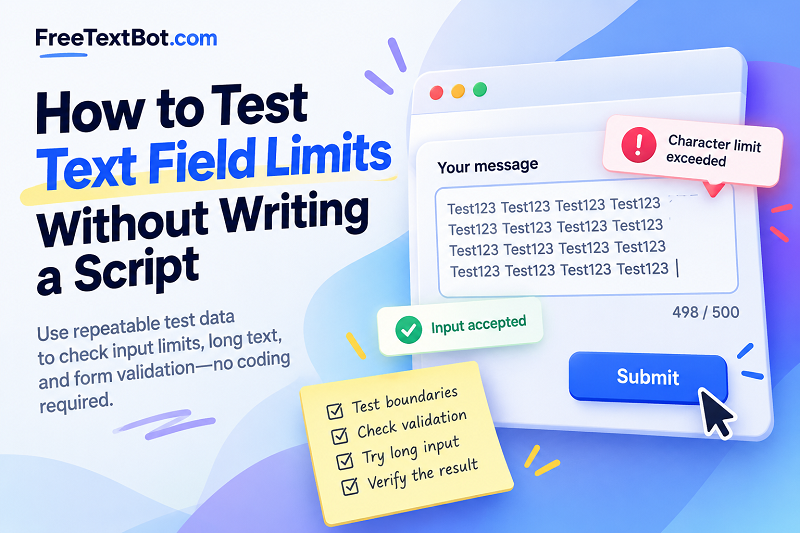
Start by identifying the expected maximum length. If a field allows 500 characters, for example, test several values around that boundary rather than jumping straight to an enormous block of text.
1. Test an empty field. Submit the form without entering anything. This helps confirm whether the field is optional or whether required-field validation works as intended.
2. Test a normal input. Enter a realistic value that a typical user might submit. Make sure the form accepts it and displays the result correctly.
3. Test just below, at, and above the limit. For a 500-character field, try 499, 500, and 501 characters. Check whether the character counter, validation message, and submission behavior agree with one another.
4. Test different kinds of content. Letters and numbers are a useful starting point, but real text also contains spaces, punctuation, emoji, and sometimes line breaks. Depending on the technology, a displayed character count may not match the number of underlying code units or bytes. Verify which counting rule your application actually uses.
5. Test the result, not just the input. After submission, check whether the complete value was saved, whether the page still looks correct, and whether any error message clearly explains the problem.
This small checklist gives you a repeatable baseline. Keep the expected result beside each test case so that you can quickly spot regressions after changing the form.
Generate Repeatable Test Data in Seconds
Manually typing hundreds of characters is a spectacularly boring way to spend a workday. Copying and pasting random paragraphs isn't much better, especially when you need to reproduce the same issue later.
Instead, choose a short, predictable string and repeat it until you reach the length you want to test. For example, repeating Test123 makes it easier to recognize patterns in the input and inspect the resulting output. You can prepare different sample lengths for boundary checks without rewriting the content every time.
An online text repeater can help you generate repeated text quickly when you need larger inputs for manual testing. Prepare the sample, copy it into your form, and observe how the interface responds. If you are investigating a specific bug, save the exact test value alongside the steps needed to reproduce it.
Keep one thing in mind: repeated text is useful for testing length and basic rendering, but it doesn't represent every kind of real-world input. Combine it with realistic names, messages, punctuation, and multilingual content when those cases matter to your application.
What Repeated Text Can—and Cannot—Prove
Repeated strings are particularly useful for checking text overflow, character counters, maximum-length validation, and basic layout behavior. They can also help you compare how the same field responds to inputs of different sizes.
However, passing a repeated-text test doesn't prove that a form is ready for every user. It won't automatically reveal problems with unusual Unicode characters, malicious input, database constraints, or complex validation rules. Those require additional test cases designed for the specific application.
For more reliable results, distinguish between the limit enforced by the interface and the limit enforced by the server. A browser may prevent extra characters from being entered, but a server should still validate submitted data independently. Never treat a front-end restriction as the only line of defense.
Turn Your Tests Into a Reusable Plan
Once you've found a useful set of test inputs, keep them. A simple record can include the field name, expected limit, test length, input type, expected result, actual result, and whether the test passed.
Repeat the same checks whenever you change validation rules, update the interface, or modify how data is stored. If your website supports multiple languages, include representative inputs from the languages you serve rather than assuming every writing system behaves identically.
The goal isn't to test every imaginable string manually. It's to make important checks quick, consistent, and easy to repeat.
Final Thoughts
Text field limits may seem like a minor detail, but small input problems can create surprisingly big headaches. Start with boundary values, test realistic content, verify what happens after submission, and keep a reusable checklist. When you need long, predictable sample strings, generating them is far more efficient than typing them by hand.
A little structured testing now can save you from confusing errors, broken layouts, and avoidable fixes later.