How to Decode Binary When the Message Looks Wrong
Got a string of zeros and ones that won't decode? Learn how to check bit groups, spot missing digits, and identify the right text encoding.
- Start With the Shape of the Binary String
- Follow the Clues: Which Problem Are You Seeing?
- Clue 1: The Input Contains Something Other Than Zeros and Ones
- Clue 2: The Number of Bits Doesn't Match the Expected Groups
- Clue 3: The Result Contains Strange Symbols
- Clue 4: The Message Is Almost Readable, but One Part Looks Wrong
- A Practical Recovery Example
- Decode the Data, Then Verify the Meaning
- When Binary Refuses to Talk
You find a string like 0100100001101001 in a coding exercise, a puzzle, or a technical document. Someone tells you it contains a message, but all you see is a wall of zeros and ones. You paste it into a converter, hit decode, and get something unexpected—or nothing useful at all.
Don't start changing random digits. A binary string can represent text, numbers, machine instructions, or entirely different kinds of data. Even when it really does contain text, you need to know how its bits are organized and how the original characters were encoded. The fastest way forward is to treat the sequence like a mystery: inspect the evidence, identify the likely problem, and test one explanation at a time.
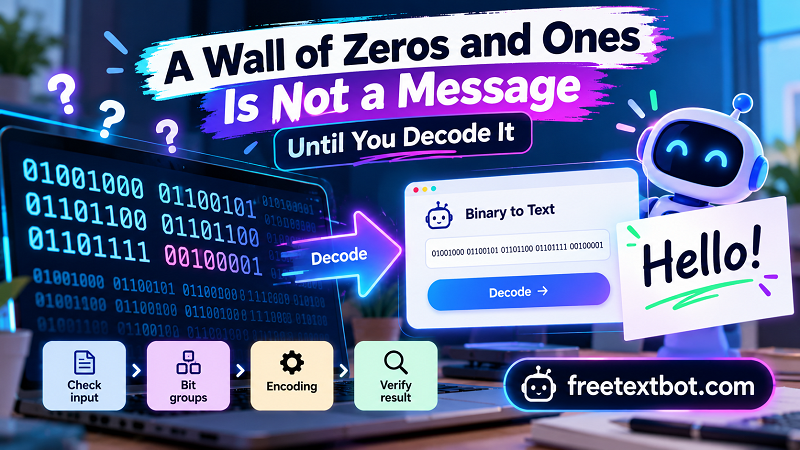
Start With the Shape of the Binary String
Before decoding anything, look at the input itself. Does it contain only 0 and 1? Are there spaces between groups? Does the number of bits seem consistent with the format you're expecting? These clues won't reveal the entire message, but they can help you decide what to investigate first.
For text represented as a sequence of bytes, groups of eight bits are common. Consider this example:
01001000 01101001
Remove the space, and you get:
0100100001101001
The two strings contain exactly the same bits. The spaced version simply makes the byte boundaries easier to see. Under an ASCII-compatible encoding, these bytes represent H and i, producing the text Hi.
That example illustrates an important distinction: binary is the data representation, while spaces and line breaks are often just formatting. A converter may expect a continuous string, accept separated bytes, or require a particular input format. Check what the tool supports before assuming the sequence is invalid.
Follow the Clues: Which Problem Are You Seeing?
Instead of trying every possible fix, match the symptom to a likely cause.
Clue 1: The Input Contains Something Other Than Zeros and Ones
A character such as 2, x, or an unexpected punctuation mark may indicate that the string was copied incorrectly or contains separators the converter doesn't recognize. Check whether the original source includes labels, quotation marks, or formatting characters that aren't part of the binary data. If the input is supposed to be pure binary, remove only the characters you can confidently identify as accidental additions.
Don't automatically delete every nonbinary character. Spaces, for example, may be intentional separators between bytes, and some tools accept them perfectly well.
Clue 2: The Number of Bits Doesn't Match the Expected Groups
If you're working with byte-oriented text, count the bits and see whether they divide cleanly into groups of eight. A sequence with 24 bits can form three complete bytes; a sequence with 23 bits cannot form three complete eight-bit bytes without some additional convention or missing data.
An uneven count doesn't prove the entire sequence is useless. The data might use a different grouping convention, represent a number rather than text, or have been copied incompletely. However, if the source explicitly says the message consists of eight-bit text bytes, an incomplete final group is a strong reason to inspect the input again.
Clue 3: The Result Contains Strange Symbols
A decoder might produce unexpected characters even when the binary input contains only zeros and ones. One possible explanation is that the bits are grouped incorrectly. Another is that the sequence uses an encoding different from the one selected in the decoder.
For example, basic English letters can be represented using ASCII-compatible byte values, while UTF-8 supports a much wider range of characters. A multibyte UTF-8 character may require more than one byte. If you split those bytes incorrectly or interpret them under the wrong encoding, the result may become unreadable.
There is also a more fundamental possibility: the binary sequence might not represent ordinary text at all. A stream of bits could encode a number, compressed data, an image, or another data structure. No text decoder can reliably turn arbitrary binary data into the intended sentence without knowing what the data represents.
Clue 4: The Message Is Almost Readable, but One Part Looks Wrong
A missing or extra bit can shift every subsequent group when the sequence is interpreted in fixed eight-bit chunks. This is why editing a suspicious digit by guesswork can make the situation worse. Compare the sequence with the original source, check the length, and look for a clear point where the data may have been truncated or altered.
If you have a known expected message, use it to test a specific hypothesis. If you don't, preserve the original sequence before experimenting so you can always return to the starting point.
A Practical Recovery Example
Imagine receiving this binary sequence:
010010000110100
You expect a short English message, but your byte-oriented decoder rejects the input. What should you do?
First, count the digits. There are 15 bits, which is not a complete number of eight-bit bytes. Next, compare the sequence with the source to see whether a digit was omitted during copying. Don't simply append a zero to make the length divisible by eight: there are multiple ways a sequence could have been truncated, and guessing the missing bit could produce the wrong result.
Now consider a different input:
01001000 01101001
This one contains two complete bytes. If the expected encoding is ASCII-compatible, decoding it should produce Hi. If the output differs, check whether the converter is interpreting the input as binary bytes rather than as a decimal number or another representation.
These examples show why diagnosis matters. The first input raises a structural question; the second provides a clean test case for checking the decoding method.
Decode the Data, Then Verify the Meaning
Once the input structure looks reasonable, use a decoder that supports the format you expect. FreeTextBot's binary to text tool can help you turn a binary sequence into readable text when the input follows a compatible text-encoding convention.
After decoding, don't stop at the first result. Check whether the output makes sense in the context where the sequence came from. If the source is a programming exercise, compare it with the expected character encoding. If it's a puzzle, consider whether the result requires another transformation. If it's technical data, confirm that the sequence is actually intended to represent text.
You can also perform a round-trip check: encode the recovered text using the same convention and compare the resulting bytes with the original sequence. Matching data provides useful evidence that the conversion is consistent. However, it doesn't prove that the original source was correct or that the encoding assumption was the intended one.
Be careful with sensitive data, too. Avoid pasting private tokens, passwords, or confidential binary content into online tools unless you're comfortable with the service's privacy practices.
When Binary Refuses to Talk
A string of zeros and ones isn't automatically a readable message waiting to be uncovered. It becomes interpretable only when you know how its bits are organized and what rules were used to represent the original information.
When decoding fails, work from the simplest evidence outward: inspect the characters, count the bits, check the grouping, identify the likely data type, and verify the encoding. Each step narrows the possibilities without corrupting the original input.
And remember, an unreadable result doesn't always mean the data is broken. Sometimes the sequence is incomplete. Sometimes the decoder is using the wrong rules. Sometimes you're asking a text converter to interpret data that was never meant to be text in the first place. Find out which situation you're dealing with, and those zeros and ones become a lot less mysterious.